PSA Birth Certificate Delivery Issues – Causes and Solutions
You’ve completed the online form, paid the fee, received your confirmation email and then you wait. Days pass, and your PSA birth certificate still hasn’t arrived. No package at the door, no delivery notification on your phone, and no clear explanation from the courier. It’s a frustrating situation, and unfortunately, it’s one that many Filipinos encounter when ordering civil registry documents online. Delivery issues with PSA birth certificates are more common than most people expect. The good news is that the majority of these problems have identifiable causes and more importantly, practical solutions. Whether your package is delayed, marked as undeliverable, or appears to have gone missing entirely, this guide breaks down everything you need to know to resolve the situation and get your document in hand.
How PSA Birth Certificate Delivery Works
Before troubleshooting any delivery problem, it helps to understand the process from start to finish.
When you order a PSA birth certificate through the PSAHelpLine portal, your request goes through several stages:
- Order placement and payment verification Your application is received and your payment is confirmed
- Document processing PSA staff retrieve and prepare your civil registry document
- Quality control and packaging The document is printed on security paper, sealed, and packaged
- Handover to courier The package is transferred to PSA’s authorized delivery partner
- Last-mile delivery The courier attempts delivery to your registered address
Each of these stages takes time, and delays can occur at any point along the chain. Knowing where the breakdown happened helps you take the right corrective action.

Common Causes of PSA Birth Certificate Delivery Issues
1. Incorrect or Incomplete Delivery Address
This is the single most common reason PSA documents fail to reach their destination. When placing your order, even a small error in your address, a missing barangay, a wrong street number, or a misspelled village name can send the courier to the wrong location entirely.
Common address mistakes include:
- Missing floor number or unit number for condominium or apartment addresses
- Using an old address that you’ve since moved away from
- Entering a landmark instead of the full street address
- Skipping the barangay or putting the wrong one
- Using abbreviations the courier system doesn’t recognize
Because PSA delivery is handled through a third-party logistics partner, couriers rely strictly on what was entered in the system. They generally do not call ahead to verify or correct addresses.

2. No One Available to Receive the Package
PSA documents are delivered as physical packages that require someone to sign upon receipt. If the courier arrives and no one is present at the address, the delivery is logged as a failed attempt.
Depending on the courier’s protocol, they may attempt delivery again on a subsequent day but this is not guaranteed. Some courier partners have a limited number of retry attempts before the package is returned to the originating facility.

3. Inaccessible or Hard-to-Reach Locations
Delivery partners cover most areas of the Philippines, but some locations remain challenging:
- Remote barangays with no clearly defined street addresses
- Areas affected by flooding, road closures, or calamities
- Gated subdivisions or high-security buildings that require prior coordination for entry
- Provinces with limited courier coverage
In these cases, delivery may be delayed significantly, or the package may be returned as undeliverable even when the address itself is correct.
4. Courier System or Logistics Delays
Like any logistics operation, PSA’s delivery network can experience internal delays due to:
- High volume of orders during peak periods (enrollment season, pre-holiday rushes, or post-calamity spikes in document demand)
- Sorting facility backlogs
- Vehicle or manpower shortages in specific regions
- Bad weather disrupting logistics routes
These delays are typically temporary and resolve on their own, but they can push estimated delivery windows by several days.
5. Package Returned to Sender
If multiple delivery attempts are unsuccessful or if the courier determines the address is invalid the package may be marked as “Return to Sender” and sent back to the PSA facility. This is one of the more frustrating outcomes because it effectively resets your wait time.
6. Lost or Misrouted Package
While less common, packages do occasionally get lost or misrouted within the logistics system. This can happen due to damaged labels, misfiling at a sorting facility, or a system error that assigns the package to the wrong route.
7. Payment or Order Processing Issues
In some cases, what appears to be a delivery problem actually originates earlier in the process. If your payment was not fully verified, or if there was a system error during order placement, your document may never have been processed for delivery at all. Always confirm that your order status shows “Processing” or “For Delivery” before assuming the issue is courier-related.
How to Track Your PSA Birth Certificate Delivery
Before taking any action, verify exactly where your order stands in the system.
Step 1: Check Your Order Status on PSA Birth Certificate website:
Log in to your PSAHelpLine account at psahelpline.ph and navigate to your order history. Your current order status should be visible. Common statuses include:
- Order Received – Payment confirmed, document not yet processed
- Processing – PSA is preparing your document
- For Delivery / Dispatched – Package handed to courier
- Out for Delivery – Courier is attempting delivery today
- Delivered – Package confirmed as received
- Delivery Failed / Undeliverable – Courier attempted but could not complete delivery
- Returned – Package sent back to PSA
Step 2: Check Your Email and SMS
PSAHelpLine sends updates to your registered email address and mobile number. Look for dispatch notifications, courier tracking numbers, or any failed delivery alerts. Check your spam or junk folder if you haven’t received any emails.
Step 3: Use the Courier’s Tracking System
If your order status shows “For Delivery” or “Dispatched,” a courier tracking number may be available in your PSAHelpLine account or in your email notification. Use this number to check delivery status directly on the courier partner’s website for more detailed, real-time updates.
Solutions for Common Delivery Problems
If Your Package Is Delayed but Still In Transit
Patience is often the first solution. Processing and delivery timelines are estimates, not guarantees. Standard delivery within Metro Manila typically takes 3 to 5 business days after processing, while provincial deliveries can take 7 to 15 business days.
If your estimated delivery window has passed:
- Check your order status on PSAHelpLine
- Look for a courier tracking number and monitor it on the courier’s platform
- Wait an additional 2 to 3 business days before escalating
If Delivery Was Attempted but You Were Not Home
Act quickly. Most courier partners have a limited window typically 24 to 48 hours during which you can request a redelivery or coordinate a pickup.
What to do:
- Check your email or door for a delivery attempt notice it may include a contact number or pickup instructions
- Log in to PSAHelpLine and check for any redelivery options under your order
- Contact PSAHelpLine customer support with your reference number and request a redelivery coordination
- If the package is held at a courier facility, ask whether you can pick it up in person with a valid ID
If Your Address Was Entered Incorrectly
Unfortunately, address errors cannot typically be corrected mid-shipment once the package has already been dispatched. However, if your order is still in “Processing” status, contact PSAHelpLine support immediately there may still be a window to update the delivery address before the package is handed to the courier.
If the package has already been shipped to the wrong address:
- Contact PSAHelpLine customer support immediately
- Explain the address discrepancy and provide your reference number
- Ask whether the package can be intercepted, rerouted, or reprocessed
In many cases, you will need to place a new order once the situation is investigated. PSAHelpLine’s support team will advise on the next steps based on the outcome of the courier’s inquiry.
If Your Package Was Returned to Sender
A returned package means the document is back at the PSA or courier facility. This does not mean your order is cancelled but it does mean you need to take action.
Steps to resolve:
- Log in to PSAHelpLine and check whether a return has been flagged on your order
- Contact PSAHelpLine customer support and inform them that the package was returned
- Request a redelivery you may need to confirm or update your delivery address
- Ask whether additional delivery fees apply for reshipment
Some PSAHelpLine orders allow for free redelivery if the return was due to a courier error. If the return was caused by an incorrect address you provided, a redelivery fee may be charged.
If Your Package Appears to Be Lost
A truly lost package is a more serious issue that requires a formal inquiry. If tracking has shown no movement for more than two weeks, or if the status is inconsistent with what you’ve experienced, escalate the matter directly.
What to do:
- File a complaint or inquiry with PSAHelpLine customer support, providing your reference number and a summary of the tracking history
- Request that a tracer be filed with the courier partner this is a formal request to locate a missing shipment
- Keep records of all communication, including timestamps and the names of support representatives you spoke with
- If the package is confirmed as lost, PSAHelpLine will typically arrange for a replacement document to be processed and redelivered
How to Contact PSA Birth Certificate for Delivery Issues
When you need to escalate a delivery concern, use these official channels:
- Live Chat: Available on psahelpline.ph during business hours (Monday to Friday)
- Social Media: PSA Philippines on Facebook for general announcements and service updates
When contacting support, always have the following ready:
- Your PSAHelpLine reference number
- The full name on the birth certificate
- Date the order was placed
- Registered email address and mobile number
- Current order status as shown on the portal
The more information you provide upfront, the faster your inquiry can be resolved.
How to Avoid Delivery Problems on Future Orders
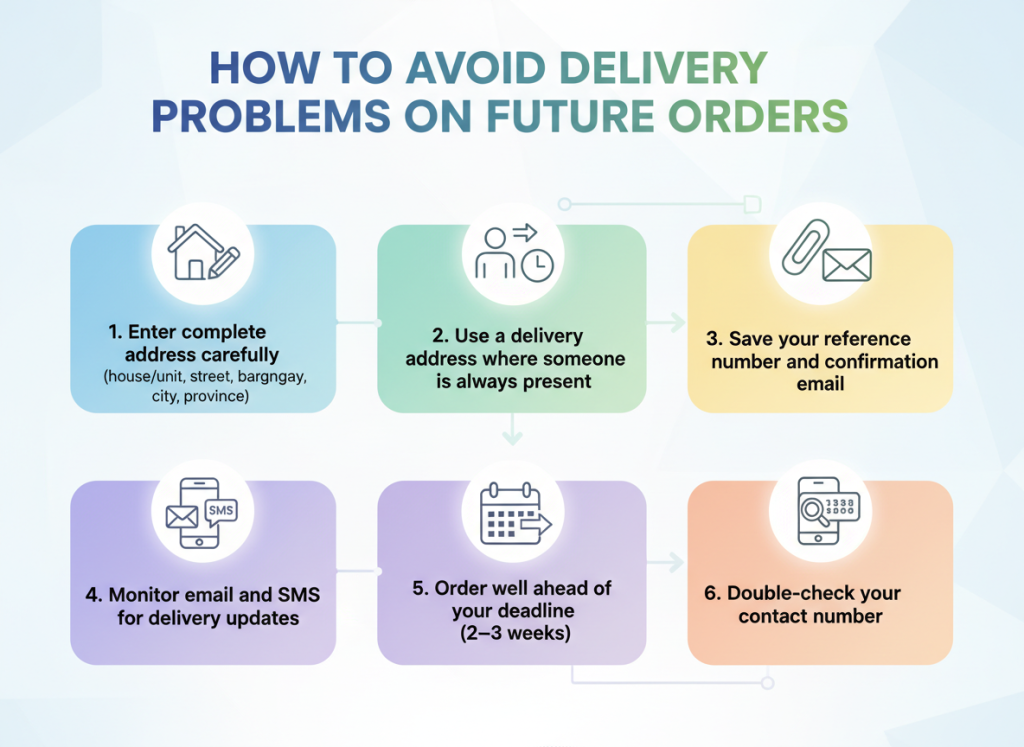
Prevention is always better than having to troubleshoot a delivery problem after the fact. Keep these best practices in mind for any future PSA document orders:
Enter your complete address carefully. Include the house or unit number, street name, barangay, city or municipality, and province. For condominiums or apartments, include the floor and unit number. Never rely on landmarks alone.
Use a delivery address where someone is always present. If you’re rarely home during business hours, consider using your office address or a family member’s home where someone is more likely to be available to receive the package.
Save your reference number and confirmation email immediately. These are essential for tracking and any future support inquiries. Do not delete your confirmation email until the document is safely in your hands.
Monitor your email and SMS throughout the process. Delivery notifications and alerts are sent to your registered contact details. Staying on top of these messages lets you act quickly if a delivery attempt is missed.
Order well ahead of your deadline. Never order a PSA document the week you need it. Allow at least two to three weeks for standard delivery, and longer if you are in a provincial or remote area.
Double-check your contact number. Some couriers attempt to call recipients before delivery or when they cannot locate an address. Ensure your registered mobile number is active and correct.
What to Do If You Need the Document Urgently
If your delivery situation is unresolved and you have an urgent deadline a visa interview, an employment requirement, or a government transaction you have a few options:
Walk-in at a PSA Serbilis outlet. Visit any PSA Serbilis Center or CRS outlet in person and request a copy directly. Same-day processing is often available, and you can walk out with your document the same day.
Visit a PSA Regional Office. For urgent cases, PSA regional offices can sometimes accommodate walk-in requests with faster turnaround times.
Contact your embassy or the requesting agency. Explain the situation and ask whether there is a grace period or an alternative document they can accept temporarily while your PSA birth certificate delivery tracking is being resolved.
Final Thoughts
Delivery issues with PSA documents are frustrating, but they are rarely permanent. In the vast majority of cases, a delayed or failed delivery can be resolved through a combination of proactive tracking, timely communication with PSAHelpLine support, and coordinating with the courier partner.
The most important thing you can do is act early, don’t wait until you are days away from a critical deadline to check on your order. Monitor your status regularly, keep your contact information updated, and reach out to support the moment something seems off. Your PSA birth certificate is an important document, and with a little persistence and the right information, getting it safely delivered to your door is absolutely achievable.