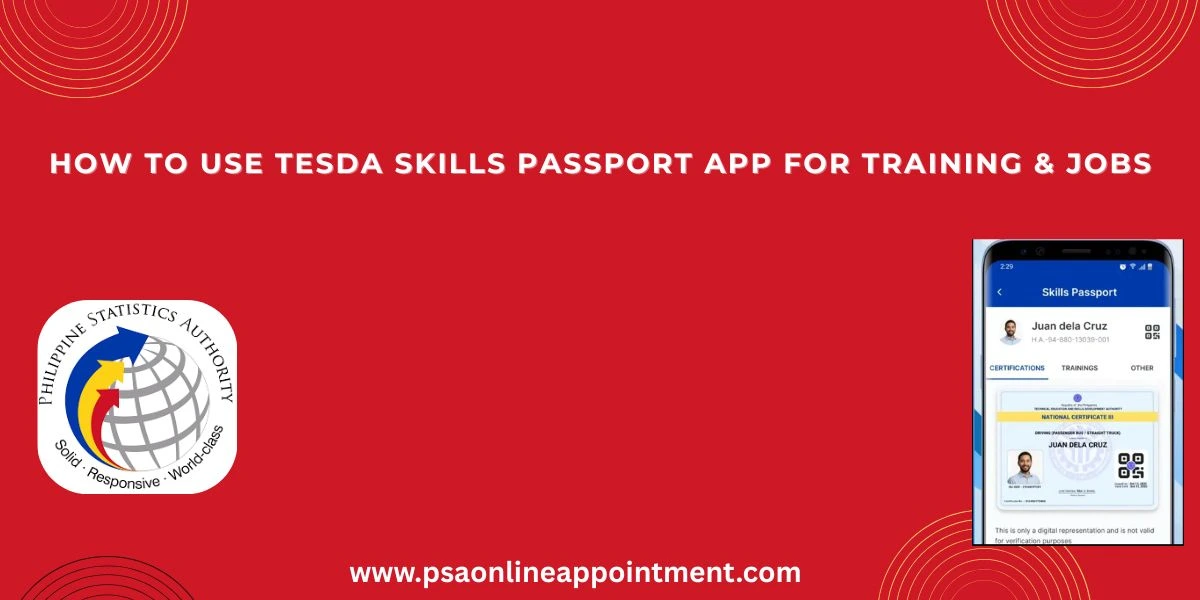
How to Use the TESDA Skills Passport App for Free Training and Jobs
The launch of the TESDA Skills Passport Mobile App on February 5, 2026, marks a massive change for Filipino workers and students. Launched by President Ferdinand Marcos Jr., this “super app” is designed to make training, certification, and job hunting easier than ever before.
If you are a student, a graduate, or someone looking to upgrade your skills, here is everything you need to know about this new digital tool. Use your National ID for financial goals in 2026
What is the TESDA Skills Passport Mobile App?
The TESDA Skills Passport is an all-in-one mobile platform that serves as a digital identity and portfolio for Filipino workers. Developed by the Technical Education and Skills Development Authority (TESDA), the app integrates all of TESDA’s services from free online courses and scholarships to job matching into one secure place.
The main goal of the app is to bridge the gap between “Training and Trabaho” (Training and Jobs). By putting your certificates and skills in your pocket, the government is making it easier for you to prove your qualifications to employers anywhere in the world.
Key Features of the App
This app is more than just a digital ID; it is a complete career management tool. Here are its standout features:
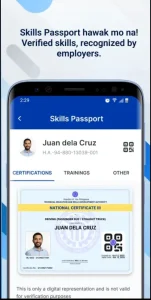
1. Digital Skills Passport
This is the heart of the app. It stores all your National Certificates (NCs) and completed training records. Since it uses blockchain technology, these digital certificates are tamper-proof and 100% authentic, giving employers peace of mind that your skills are real.

2. Job Matching and “Find a TESDAn”
The app isn’t just for looking at certificates it helps you find work.
- Find Jobs: It connects to major job portals to show you vacancies that match your specific skills and location.
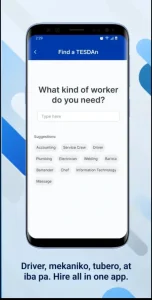
- Find a TESDAn: This is a marketplace where graduates can offer freelance services (like electrical repair or wellness massage) and get hired directly by users nearby.
3. Learning Paths (TESDA Online Program)
Users can access the TESDA Online Program (TOP) directly through the app. You can enroll in free courses ranging from Agriculture and ICT to Cookery. The app even gives you personalized recommendations on what to study next based on your current skills.
4. Real-Time Scholarship Updates
Gone are the days of visiting offices just to ask about scholarships. The app is linked to the Biometric-enabled Scholarship Registration System (BSRS), allowing you to view available scholarships in your area, apply digitally, and track your application status in real-time.
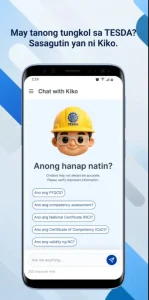
5. Professor K (AI Chatbot)
If you have questions about how to apply or what course to take, you can talk to Professor K. This AI-powered assistant is available 24/7 to answer your queries and guide you through the app’s features.
TESDA App Benefits for Users
- No More Lost Certificates: Your certificates are stored digitally. You don’t need to carry physical copies to job interviews.
- Verified Identity: The app uses PhilSys (National ID) integration, ensuring that every user is verified and the data is secure.
- Easy Resume Sharing: You can generate a QR-enabled resume from the app. Employers can simply scan the code to see your verified skills.
- Accessibility: Whether you are in a remote province or working as an OFW, you can access training and government services as long as you have a smartphone.
Read Also: PSA Birth Certificate Online Appointment | Book Your CRS Slot Official Guide
How to Use the TESDA Skills Passport App
Getting started is simple. Follow these easy steps:
- Download the App: Search for “TESDA Skills Passport” on the Google Play Store (Android) or Apple App Store (iOS).
- Register/Login: Use your email or social media accounts to sign up. For full verification, it is best to link your PhilSys National ID.
- Setup Your Profile: Complete your personal details and work experience. This will help the app match you with the right jobs.
- Sync Your Certificates: If you have existing TESDA National Certificates, they should automatically appear in your “Skills Passport” section once your identity is verified.
- Explore Courses and Jobs: Use the “Learning Paths” tab to start a new course or the “Jobs” tab to see who is hiring in your area.
Conclusion
The TESDA Skills Passport Mobile App is a game-changer for the “Bagong Pilipinas” initiative. With a 2026 budget of nearly ₱20 billion for TESDA, the government is betting big on digital transformation to help Filipinos get better jobs.
By downloading this app, you are taking a major step toward a more professional, organized, and successful career.